
Where are my accounts?
Where Are My Accounts?
Overview
If you’ve logged in to your online banking and don’t see your accounts listed on the Home screen, don’t worry — there’s usually a simple explanation. This guide covers the most common reasons accounts may not appear and how to fix each one.
Just Enrolled Today?
If you just finished enrolling in online banking today, your accounts may not appear right away. The system typically needs until the following business morning to finish processing and linking your accounts to your new profile.
What to do:
- Log out and check back tomorrow morning after the system has had time to process your enrollment.
- If your accounts still aren’t showing by the next business day, please call us at (866) 626-6004 so we can look into it for you.
Check If Your Account List Is Collapsed
This is the most common reason customers think their accounts have disappeared. On the Home screen, each account group (such as ACCOUNTS or SAVING ACCOUNTS) can be toggled open or closed by clicking or tapping on it. If you accidentally tap the header, the list collapses and your accounts seem to vanish.
Here’s what it looks like when the account list is collapsed — notice that no individual accounts are visible under the ACCOUNTS header:
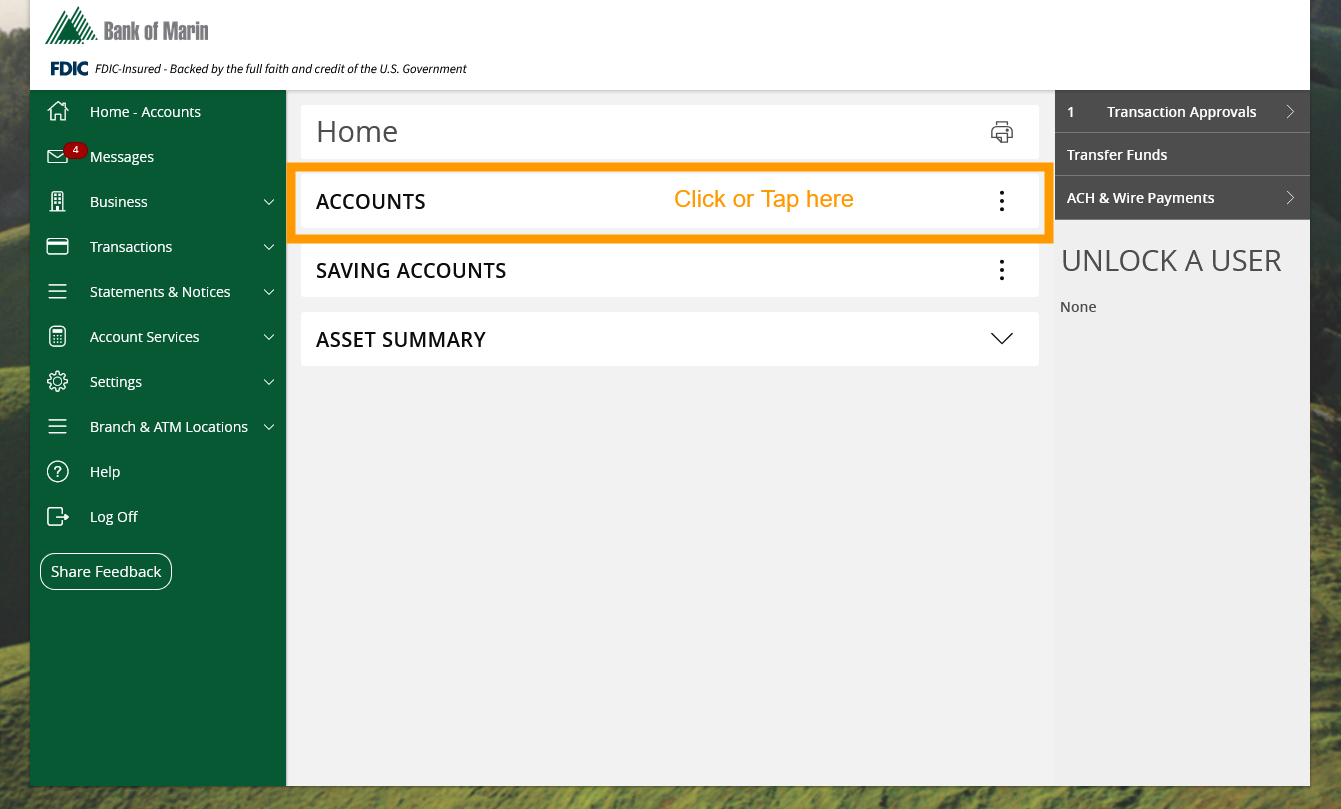
To expand the list, simply click or tap the account group header (for example, the word ACCOUNTS). The list will open and your accounts will appear:
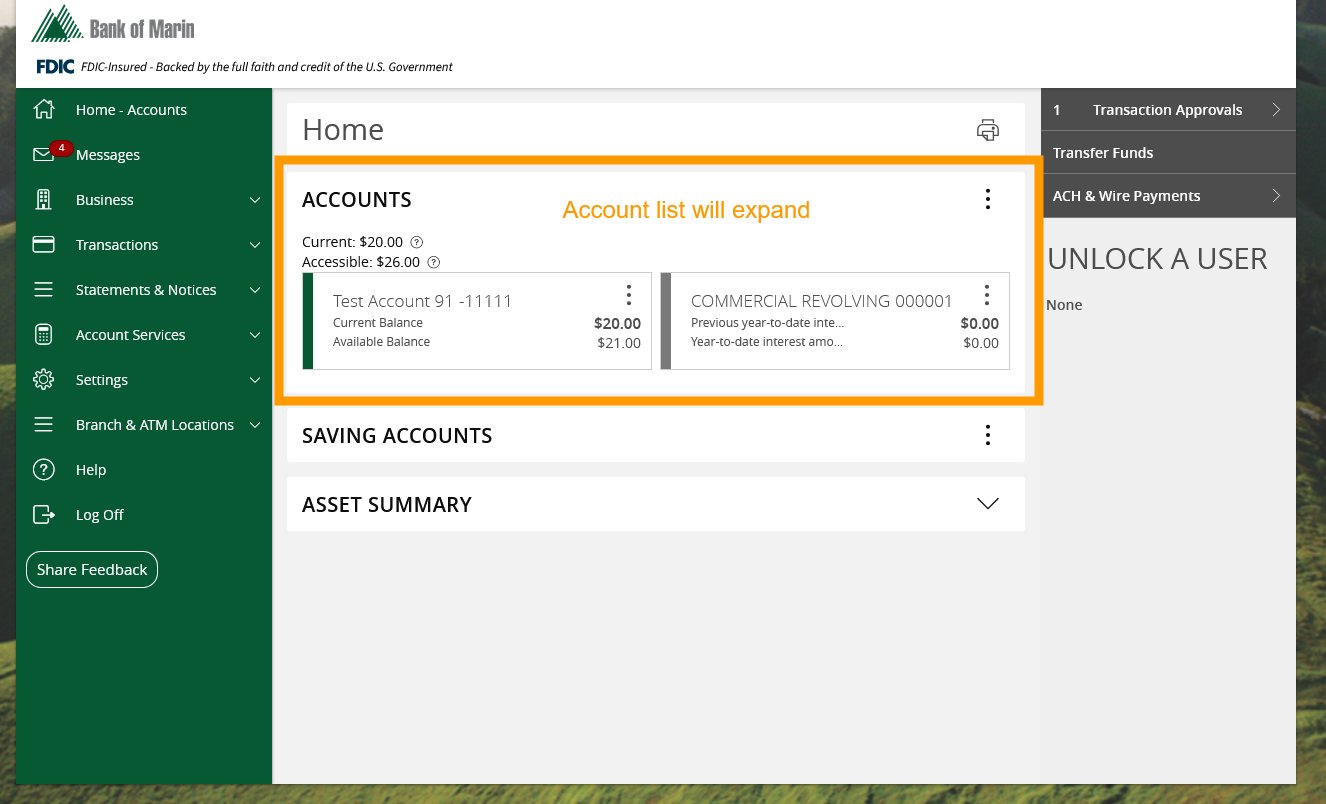
That’s all there is to it. If you tapped the header by accident and your accounts seemed to disappear, just tap it again to bring them back.
A Specific Account Is Missing?
If most of your accounts are showing but a particular one is missing, or if it’s been more than 24 hours since you enrolled and you still don’t see any accounts, please contact us so we can investigate.
- Call us at (866) 626-6004 — our team can check your profile and make sure everything is linked correctly.
- Have your account number handy if possible, so we can look it up quickly.
Need Help?
If you’ve tried the steps above and still can’t see your accounts, please don’t hesitate to call us at (866) 626-6004 or visit a branch in person. We’re happy to help.
Related Articles
-
Viewing Your Account Information
Learn how to view your account details, balances, and summary information in online banking.
-
Viewing Your Account Activity
View, manage, and track all your scheduled and pending transactions in one place with the Activity Center.
-
Resetting a Forgotten Password
If you’re having trouble logging in, learn how to reset your password and regain access to your account.