
Configuring Account Alerts
Configuring Account Alerts
Account alerts help you stay on top of your banking activity by notifying you about important events and transactions. You can customize which alerts you receive and how you receive them.
How to Manage Alerts
-
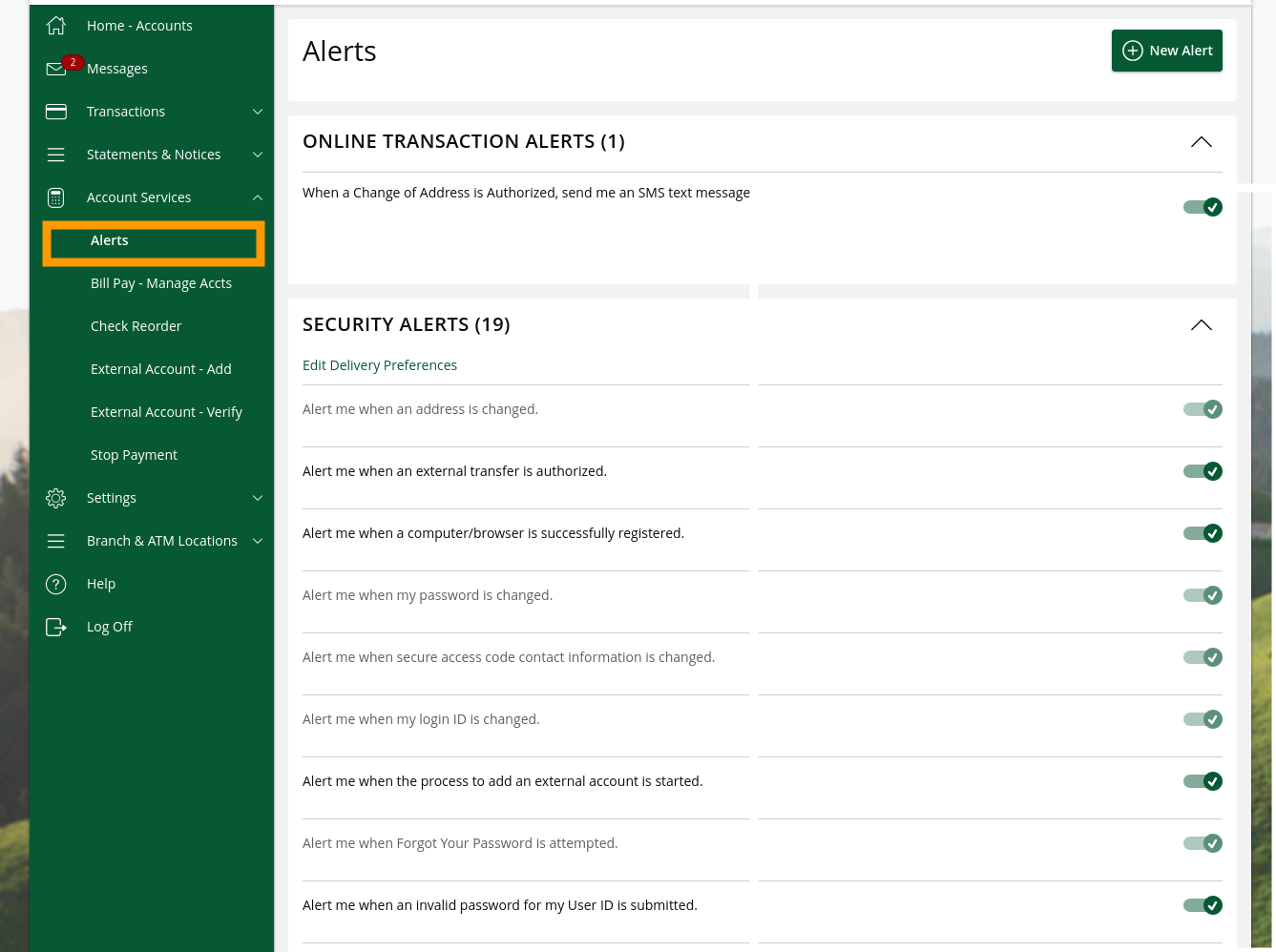
Navigate to Account Services
Log into digital banking and go to Account Services. -
Click “Alerts”
Select the alerts management option. -
Choose your alerts
Select which types of alerts you want to receive and set up your preferences.
What You Can Be Alerted About
You can configure alerts for a variety of account and security events, including:
- Account changes – Get notified when updates are made to your account settings
- Contact or address changes – Know immediately when your contact information is updated
- Payments authorized or initiated – Stay informed when payments or transfers are processed on your account
- Login attempts from a new location – Receive an alert when someone signs into your account from an unrecognized device or location
- Business team changes – Be notified when changes are made to users or roles on your business account
Choosing How You Receive Alerts
You can choose how each alert is delivered to you:
- Secure Message: Alerts appear in your digital banking Messages inbox
- Email: Sent to your registered email address
- Text Message (SMS): SMS alerts sent to your mobile phone
Tip: You don’t need to be logged into digital banking to receive alerts. Email and text alerts will reach you wherever you are, helping you stay connected to your accounts even when you’re on the go.
Need Help?
If you need assistance setting up alerts, please contact us at (866) 626-6004.
Related Articles
-
Secure Messages
Learn how to communicate securely with Bank of Marin through digital banking.
-
Viewing Your Account Information
Learn how to view your accounts, check balances, review transactions, and find important account details like routing numbers.
-
Preventing Account Takeovers
Learn how to protect your accounts from unauthorized access and keep criminals from stealing your information.