
Viewing Your Account Information
Viewing Your Account Information
Finding Your Account Information
Your accounts are displayed right on the homepage when you log into digital banking. Here’s everything you need to know about viewing and accessing your account information.
First-Time Users
Important: If you’ve just registered for digital banking, please allow up to 24 hours for your registration to complete and for your accounts to appear. They will automatically populate once the registration process is finished.
Viewing Your Accounts List
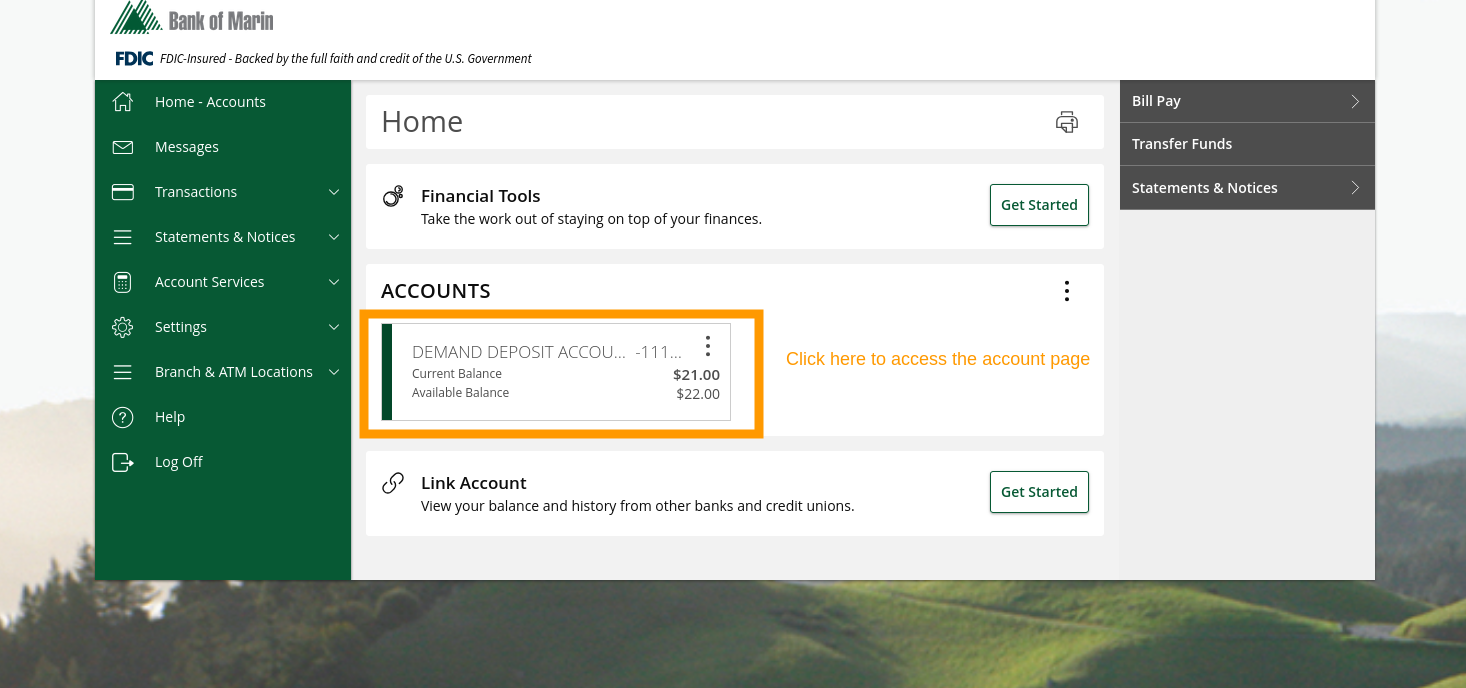
Your accounts are displayed in a convenient pane on the homepage.
Can’t see your accounts? The accounts pane is collapsible. If you’ve accidentally collapsed it, simply click on the accounts section to expand it again and view all your accounts.
Opening a Specific Account
To view details for a specific account, click or tap on that account’s tile from your accounts list on the Home screen. Each account is displayed as its own clickable tile showing your current and available balances.
Reviewing Transactions
Once you’ve opened an account, you’ll land on the Transactions tab by default. This shows you:
- Transaction dates
- Merchant or payment descriptions
- Transaction amounts
- Current balance
Finding Your Account and Routing Numbers
Need your account number or routing number? Many services — like direct deposit, automatic payments, or linking an external account — require these numbers. Here’s how to find them:
-
Open the account
From the Home screen, click or tap on the account tile (as shown above). -
Switch to the Details & Settings tab
Near the top of the account page, you’ll see two tabs: Transactions and Details & Settings. Click or tap Details & Settings. -
Locate your numbers
Your Full Account Number and Routing Number are displayed at the top of the Details section.
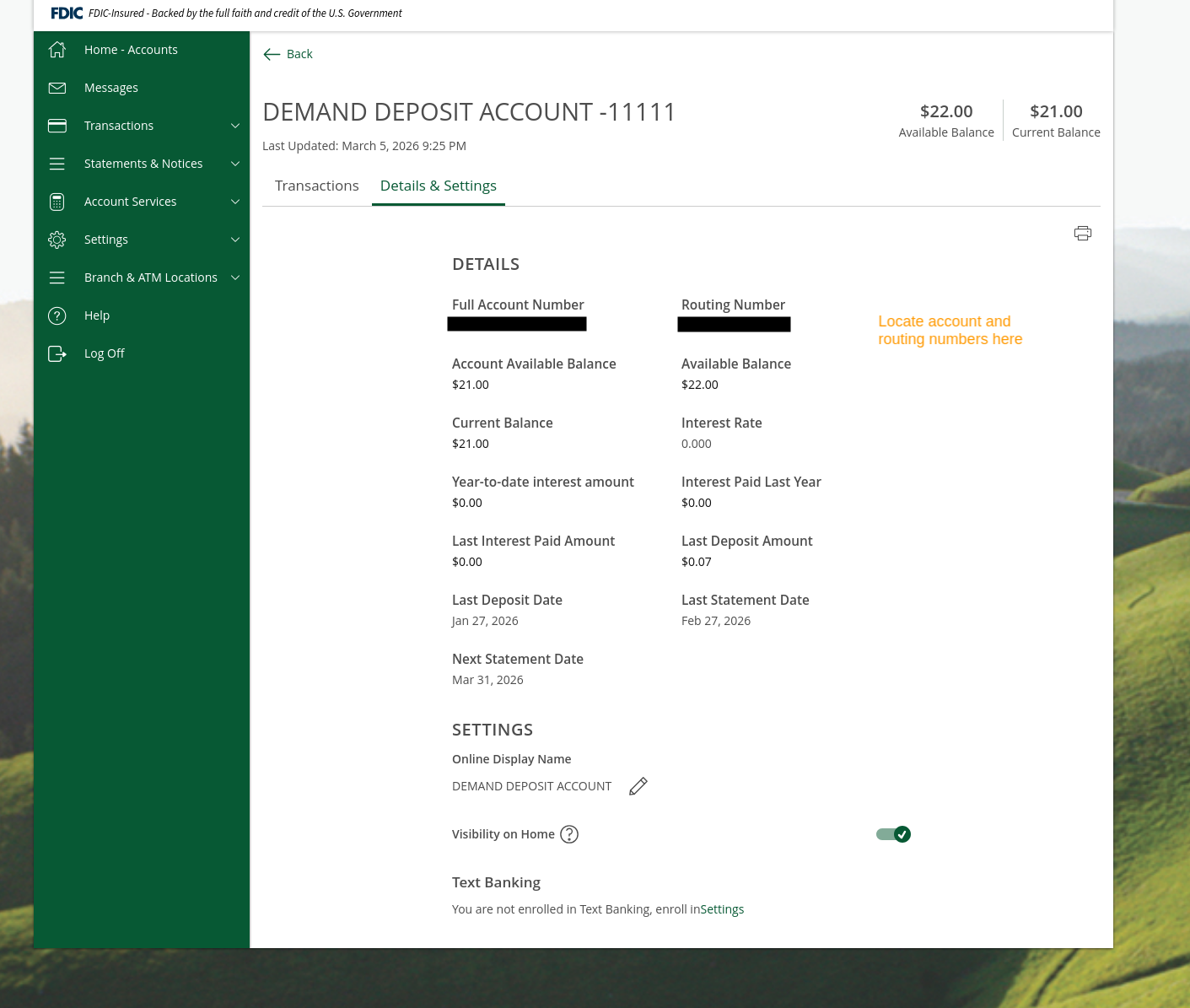
This page also shows additional details about your account, including:
- Available and current balances
- Interest rate and year-to-date interest
- Last deposit amount and date
- Statement dates
- Online display name (which you can edit)
Need Help?
If your accounts aren’t showing up after 24 hours, or if you need assistance accessing your account information, please contact us at (866) 626-6004.
Related Articles
-
Where Are My Accounts?
If your accounts aren’t showing up on the Home screen, this guide covers the most common reasons and how to fix them.
-
Linking an External Account
Learn how to link external bank accounts to easily transfer money between your Bank of Marin accounts and accounts at other financial institutions.
-
eDocuments & Statements
Access your account statements and important documents online, and learn how to switch to paperless delivery.